
Download JLC's Internet TV – Free Online TV Streaming for Windows, Mac, Android & iOS
Discover the world of live TV with JLC's Internet TV, a lightweight and user-friendly streaming tool that lets you watch over 1,400 free online TV channels from around the globe. Whether you're in the mood for news, sports, entertainment, or international programming, this software offers a simple interface to explore global content without subscriptions. With support for Windows, Mac, Android, and iOS, JLC's Internet TV is an ideal choice for viewers who want to stream live broadcasts securely and hassle-free.
The app features smart organization, customizable favorites, built-in search, and country-based filtering to help you find your next favorite channel quickly. While not every stream is guaranteed to work due to external server availability, the overall experience remains smooth and reliable for most users. Keep your media library fresh with regular updates and enjoy seamless playback across devices.
Simple, Intuitive Interface for Instant TV Access
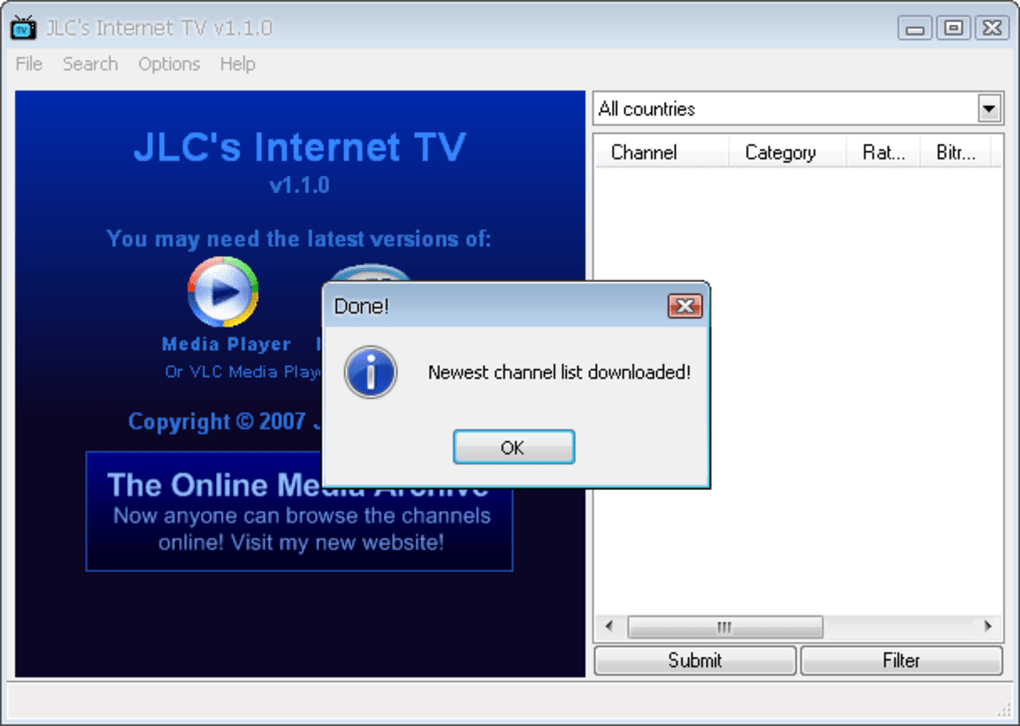
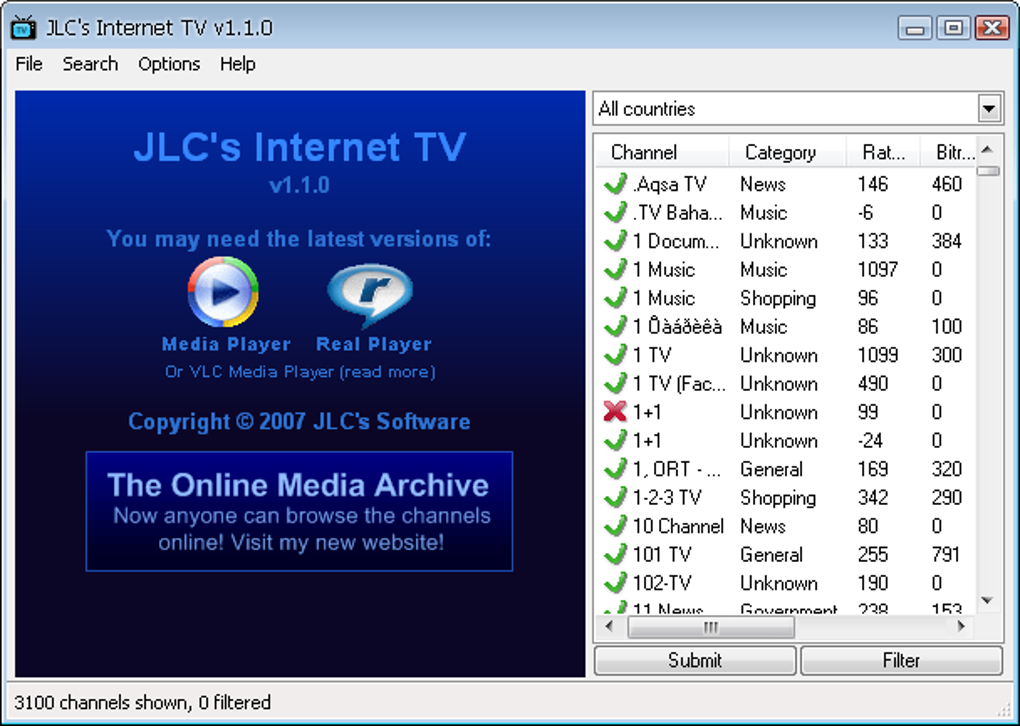
One of the standout features of JLC's Internet TV is its clean and straightforward design, making it accessible even to users with minimal tech experience. Upon launching the app, you're greeted with a well-organized dashboard that categorizes channels by type—such as news, sports, entertainment, music, and regional broadcasts. This smart layout ensures you don’t waste time scrolling through endless lists.
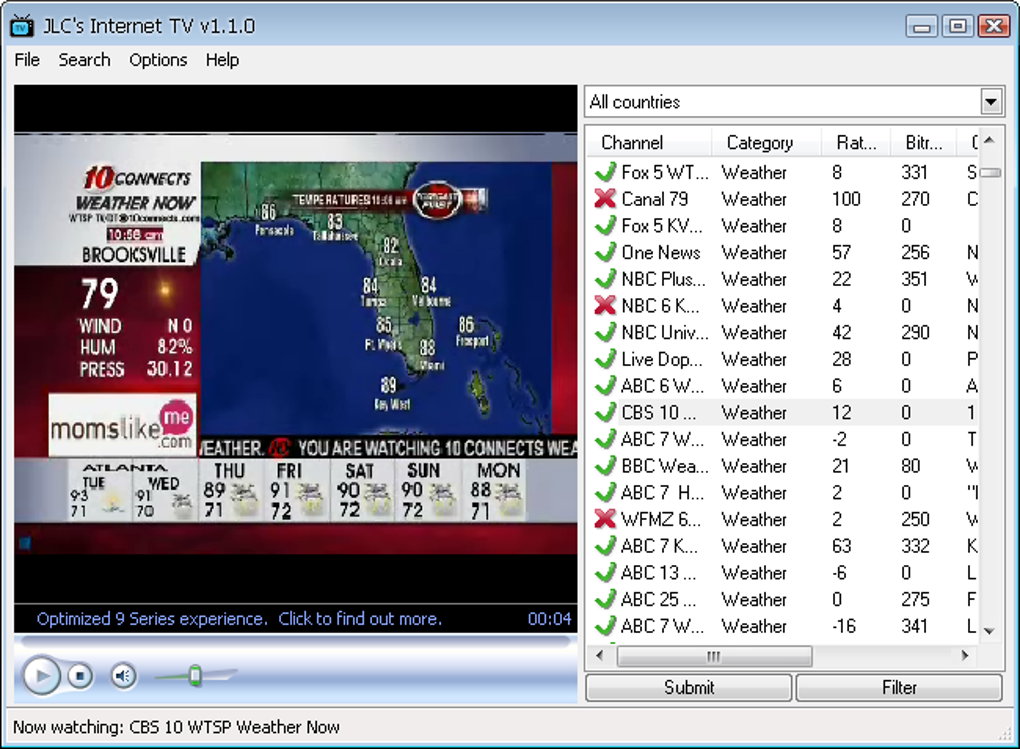
Simply click on a category, and you’ll see a curated selection of channels that match your interests. The embedded video player is lightweight and responsive, launching instantly when you double-click any channel name. There’s no need to install external media players or configure complex settings—everything is built-in.
For those who want to personalize their viewing experience, the app allows you to mark favorite channels with a single click. These favorites are saved in a dedicated list, so you can access them with one tap anytime. The built-in search function is another time-saver; just type in a channel name, genre, or country, and the software delivers instant results. You can also filter channels by country of origin, which is perfect for expats or culture enthusiasts wanting to follow local programming from their home country. Whether you're watching live football matches from Brazil, news from Japan, or music videos from South Korea, JLC's Internet TV brings global content to your screen with minimal effort.
Additionally, the app is regularly updated to fix bugs and improve performance, ensuring a stable streaming experience. While some channels may occasionally go offline due to external server issues, the developers actively maintain the database, and most popular streams remain functional. With its intuitive navigation and minimal learning curve, JLC's Internet TV is ideal for anyone looking to explore international content without the hassle of complicated setups.
Comprehensive Features for a Seamless Streaming Experience
What sets JLC's Internet TV apart from other free streaming tools is its robust feature set designed to enhance usability and personalization. The software includes a powerful channel organization system that sorts content into logical categories—news, sports, movies, music, children’s programming, and more. This makes it easy to find exactly what you’re looking for, whether you're hunting for a live sports broadcast or a foreign-language drama. Each channel listing includes a brief description and country tag, so you know what to expect before you hit play.
Another key feature is the built-in search and filter tool. Instead of manually browsing through hundreds of channels, you can enter keywords like “BBC,” “football,” or “France” to instantly narrow down results. The filter function lets you sort channels by country, language, or category, giving you precise control over your viewing experience. For example, if you’re studying Spanish and want to improve your listening skills, you can filter for Spanish-language channels from Spain or Latin America.
Users also appreciate the favorites system, which allows you to save your most-watched channels for quick access. This is especially useful for daily routines—like tuning into your favorite morning news show or catching a live concert stream. The app supports cross-platform compatibility, meaning you can use it on Windows, Mac, Android, and iOS devices. This flexibility ensures you never miss a broadcast, whether you’re at home on your desktop or on the go with your smartphone.
While the software is free to download and use, it does rely on external streams, so occasional playback issues may occur. However, the developers regularly update the channel list to remove dead links and add new working ones. Overall, the combination of smart features, ease of use, and consistent updates makes JLC's Internet TV a top contender in the free online TV space.
Installation, Usage, and Compatibility Across Devices
Getting started with JLC's Internet TV is quick and hassle-free. The software is available for Windows (7/8/10/11), Mac (OS X 10.12 and later), Android (5.0 and above), and iOS (11.0 and above). To install, visit the official website, download the appropriate version for your device, and run the installer. The setup process takes less than a minute and doesn’t require admin rights on most systems. Once installed, launch the app, and you’ll be ready to stream live TV within seconds.
For Windows and Mac users, the app runs in the background with minimal system resource usage, so it won’t slow down your computer. The interface is responsive and adapts to different screen sizes, making it suitable for laptops, desktops, and even large monitors. Android and iOS users can download the app from the official site or app stores, depending on availability. The mobile version offers a touch-friendly layout with swipe gestures for easy navigation.
Usage is straightforward: browse categories, use the search bar, apply filters, select a channel, and double-click to play. The embedded player supports HD playback when the stream is available, and audio is synced properly. You can also pause, rewind, and adjust volume directly within the player. For added convenience, the app remembers your last viewed channel and favorite list across sessions.
Regular updates are released to fix bugs, improve stream reliability, and add new channels. It’s recommended to keep the app updated to enjoy the best performance. The developers prioritize security, ensuring the download links are clean and free from malware. Whether you're using a PC at home or streaming on your tablet during travel, JLC's Internet TV delivers a consistent, secure, and reliable experience across all supported platforms.
Pros and Cons: A Balanced Look at JLC's Internet TV
- Pros:
- Over 1,400 free online TV channels from around the world
- Simple, intuitive interface with no steep learning curve
- Supports multiple platforms: Windows, Mac, Android, iOS
- Customizable favorites and smart filtering by country/language
- Free to download and use with no hidden fees
- Regular updates for bug fixes and new channel additions
- Lightweight and low system resource usage
- Cons:
- Not all channels are always available due to external stream changes
- Occasional buffering or playback issues on weaker internet connections
- No built-in recording or DVR functionality
- Ads may appear in some versions (though minimal)
- Dependent on third-party streams, so reliability varies
Frequently Asked Questions (FAQ)
Is JLC's Internet TV free to download and use?
Yes, JLC's Internet TV is completely free to download and use. There are no subscription fees or hidden costs. The software is supported by minimal ads in some versions, but the core streaming functionality remains free and accessible to all users.
Which devices support JLC's Internet TV?
The app is compatible with Windows 7 and later, Mac OS X 10.12 and above, Android 5.0+, and iOS 11.0+. You can use it on desktops, laptops, tablets, and smartphones for a seamless viewing experience across devices.
Why do some channels not work?
JLC's Internet TV relies on third-party streaming sources. If a channel goes offline or changes its stream URL, it may become unavailable. The developers regularly update the channel list to remove dead links, but occasional downtime is unavoidable due to external factors.
Can I watch live sports with JLC's Internet TV?
Yes, many live sports channels are available, including football, basketball, and motorsports. You can browse the "Sports" category or use the search function to find specific events. However, availability depends on the stream’s current status.
Does JLC's Internet TV support subtitles or multiple audio tracks?
Currently, the app does not support subtitles or multiple audio tracks. It plays the stream as it’s delivered by the source. For advanced features like subtitles, you may need to use a third-party media player.
Conclusion: A Must-Try Free TV Streaming App
If you're looking for a free, secure, and easy-to-use online TV streaming tool, JLC's Internet TV is an excellent choice. With over 1,400 channels across diverse genres and regions, it offers unmatched access to global content without the need for subscriptions. Its intuitive interface, smart filtering, and favorites system make discovering new shows effortless. Whether you're watching on your PC, Mac, Android, or iOS device, the app delivers a smooth and reliable experience.
While not every stream is 100% reliable due to external factors, the regular updates and active community support help maintain a high level of functionality. For users who value variety, simplicity, and cross-platform access, JLC's Internet TV stands out as one of the best free tools in its category.
Download JLC's Internet TV today and start exploring live TV from around the world—no cost, no hassle, just endless entertainment.







